EU Battery Passport Basics
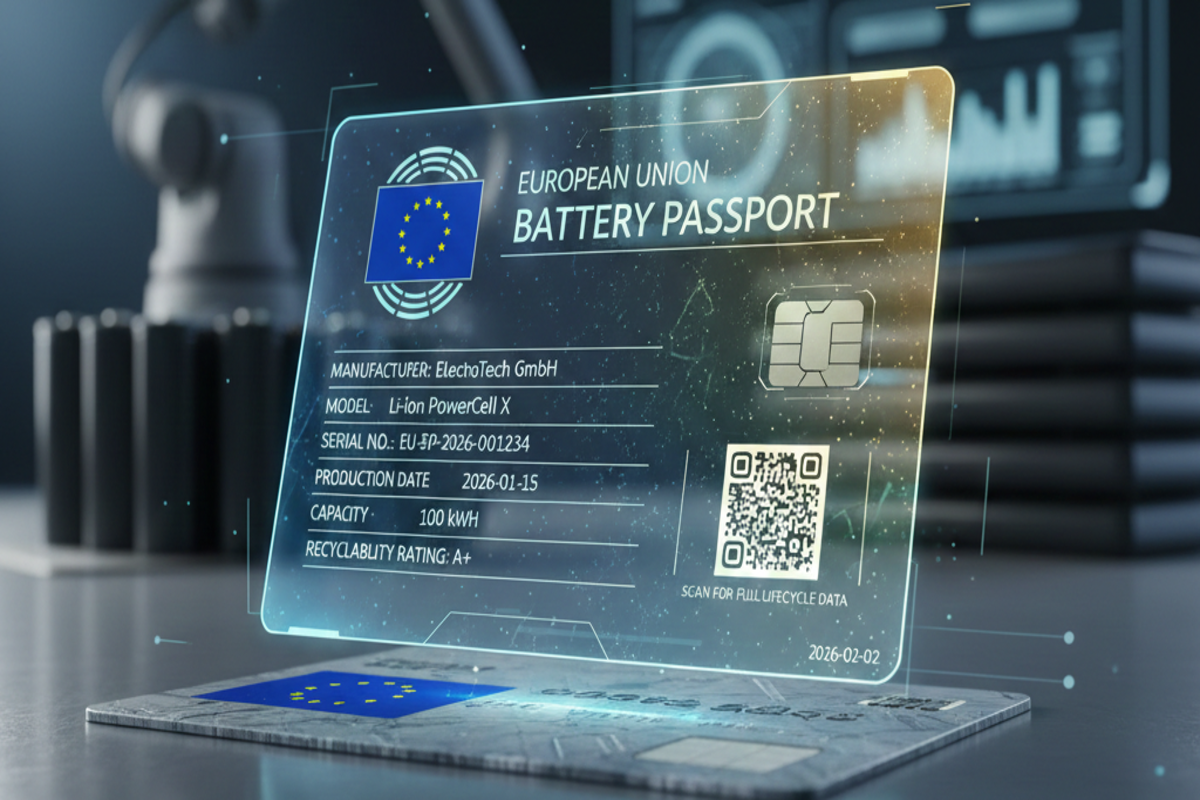
The EU Battery Passport is a structured digital record meant to follow a battery across its life cycle, from manufacturing through use, collection, and recycling. The legal basis sits in the EU Batteries Regulation (Regulation (EU) 2023/1542), which sets requirements for battery information and the passport concept. The passport is not a single PDF that everyone receives; it is a data set that operators can access through a digital system tied to the battery’s identification.
For consumers, the practical question is narrower: how the passport affects what you can verify when buying a vehicle, a device, or a replacement battery, and how it supports recycling and repair decisions. For example, a recycler needs traceable information about chemistry, design, and safety-relevant characteristics to plan disassembly and treatment. A repair shop needs enough detail to avoid guessing when replacing modules or assessing compatibility.
In the EU framework, the passport is expected to include a defined set of data fields. The “71 data points” phrase refers to the required categories of information that the passport should carry, though the exact applicability can vary by battery type and by what is known at the time of placing on the market. Some fields are filled at manufacture, others later, and some may remain blank if the information is not available or not required for that battery category.
One small detail that often gets missed: the passport is designed to be machine-readable and structured, not just human-readable. That matters because downstream systems—recycling lines, logistics tools, and compliance reporting—need consistent field names and formats. When a field is missing or inconsistent, the downstream process often falls back to manual checks, which is where delays and errors creep in.
What People Get Wrong
Many explanations treat the battery passport as a consumer label that proves “quality” or “sustainability” in a single glance. The passport is instead a traceability and information system. It can include sustainability-related fields, but it does not replace life-cycle assessment reports, and it does not automatically translate into a single score.
A second common misunderstanding is assuming every battery gets the same full set of details. The regulation defines data requirements, yet the passport’s content depends on battery category, chemistry, and what information is available from the manufacturer. A field that exists in the 71-point list may still be absent for a specific battery if the regulation does not require it for that case or if the manufacturer cannot provide it at the time of market placement.
There is also confusion between the passport and other EU battery-related documents. For instance, the passport is not the same as the battery management system logs inside a vehicle, and it is not the same as a recycling operator’s internal process records. The passport is meant to be shared across actors under the rules, while internal logs stay within the operator’s systems.
Supporting technologies shape what the passport can realistically contain. Battery identification typically relies on unique identifiers and traceable production records. Digital access often uses standardized data formats and interfaces so that different software systems can read the same fields. In practice, the quality of the passport depends on how consistently manufacturers capture data during production and how reliably later actors update or append information.
Finally, people sometimes expect the passport to answer questions it cannot. If a field is about design specifications, it will not reveal how a battery performed after years of use unless the regulation requires performance data and the operator records it. If a field is about recycling routes, it will not prove that a specific battery was actually recycled in a particular facility unless the chain-of-custody data exists and is linked to that battery’s identifier.
Solutions And Advice For Reading
Map Fields To Real Use
Start by matching each data point to a practical decision. If you are a buyer, focus on fields that affect compatibility and safety, such as battery chemistry, nominal capacity, and design characteristics. If you are a recycler or repairer, prioritize fields that guide disassembly and treatment, such as information relevant to hazardous components, pack configuration, and any safety-relevant design parameters. This approach prevents you from treating every field as equally meaningful.
When you review a passport, check whether the data points are present and whether they include units and reference standards. A missing unit can make a value unusable, and a vague reference can force manual interpretation. I’ve seen cases where the same “capacity” concept appears with different measurement conventions in supplier documents, and the passport field name alone does not fix the mismatch.
Track Updates Across Life Stages
Plan for the passport to evolve. Some fields are created at manufacture, while others may be added when the battery is collected, refurbished, or recycled. If you are evaluating a used battery or a vehicle battery replacement, look for timestamps or version indicators that show when a field was last updated. A version label like “v1.0” in a supplier portal can help you avoid comparing stale data to current specifications.
For vehicle contexts, remember that the battery’s in-vehicle state of health is not automatically the same as the passport’s design data. The passport can help you identify the battery model and chemistry, but it does not replace diagnostic measurements taken during service. If a seller claims “passport proves health,” verify whether the passport includes performance or test-related fields for that battery category.
Verify Data Provenance
Treat provenance as a first-class check. Look for which actor supplied the data point and whether the passport indicates the source stage (manufacturer, importer, distributor, collection operator, recycler). If the passport system exposes a “data owner” or “submitted by” field, use it. When provenance is unclear, you cannot tell whether a value reflects design intent, a later measurement, or a manual entry.
In practice, provenance gaps often come from handoffs between companies. A logistics provider might move batteries without touching the technical fields, while a refurbisher might update certain identifiers. If you see a field changed without a clear reason or timestamp, that’s a red flag, even if the value looks plausible.
Use It With Other Compliance Signals
The passport works best when paired with other evidence. For example, a vehicle listing might include warranty terms, battery model references, and service history. The passport can add traceability, but it does not replace warranty documentation or diagnostic reports. If you are comparing two replacement batteries, use the passport to confirm chemistry and design compatibility, then use service documentation to confirm fitment and safety checks.
For organizations, the practical outcome is fewer manual checks in downstream processes. For consumers, the outcome is less guesswork about compatibility and fewer surprises during recycling or refurbishment. The reduction depends on data completeness; if many fields are missing, the passport becomes a reference document rather than a decision tool.
Case Examples For Real Scenarios
Example 1: Used EV battery replacement. A repair shop receives a used battery module advertised as compatible with a specific EV model. The shop checks the passport fields for chemistry type, nominal capacity, and pack/module identifiers. The passport confirms the battery design family and safety-relevant characteristics, but it does not include a current state-of-health metric. The shop therefore runs its standard diagnostic tests before installation, rather than treating the passport as a health certificate.
Example 2: Recycling planning for mixed chemistries. A recycler receives a batch of end-of-life batteries from multiple sources. The operator uses passport data points to sort batteries by chemistry and design configuration, then routes them to appropriate treatment steps. Some data points arrive at collection time, while others remain blank until the recycler inspects the battery. The recycler records the missing fields during inspection so the next actor in the chain has better information, reducing manual sorting time.
Battery Passport Checklist
The list below helps you decide what to check first when you see a battery passport record. It is written for decision support, not for judging “good” versus “bad” batteries.
| What You Check | Where It Shows Up | Why It Matters | What To Do If Missing |
|---|---|---|---|
| Chemistry and design family | Manufacturer-supplied data points | Guides safe handling and treatment route | Request inspection or documentation tied to the battery identifier |
| Capacity and ratings | Technical specification fields | Supports compatibility checks | Confirm units and measurement basis with the supplier or service manual |
| Identifiers and traceability | Unique IDs and chain-of-custody links | Prevents mixing data between batteries | Verify the identifier matches the physical label and paperwork |
| Update timestamps | Passport versioning or last-updated fields | Shows whether data reflects current status | Treat older fields as design info, not as current condition |
Step-by-step checklist for a quick review:
- Confirm the battery identifier in the passport matches the physical label or the VIN-linked battery record.
- Check chemistry and design family before capacity claims.
- Look for units and reference standards on technical values.
- Scan for timestamps or version indicators, even if you only see “last updated.”
- Use passport data to plan compatibility and handling, then use diagnostics or inspection for condition.
Common Mistakes To Avoid
One frequent mistake is treating the 71 data points as a guarantee that every passport record is complete. In practice, data availability depends on when the battery enters the chain and which actor holds the relevant information. If a field is blank, the correct response is to ask for provenance or an inspection method, not to assume the battery lacks that feature.
Another mistake is mixing up “design data” with “performance data.” Design fields describe what the battery was built to be, while performance depends on usage, temperature exposure, charging behavior, and degradation. A passport record that lists nominal capacity does not replace measurements of current capacity or internal resistance.
People also over-trust screenshots and marketing summaries. A seller might quote a single passport field without showing the units, the data source, or the update date. If you cannot see the underlying passport fields or the identifier linkage, you cannot verify the claim.
Finally, organizations sometimes assume that the passport alone satisfies all compliance reporting. The regulation ties passport data to broader obligations, and other reporting duties may still apply to producers and distributors. If you manage compliance, map passport fields to your internal reporting workflow rather than treating the passport as a universal substitute.
FAQ
What Is The Battery Passport For?
It is a structured digital record intended to support traceability and information sharing about batteries across their life cycle, including handling and recycling planning.
Do All Batteries Have The Same 71 Data Points?
The passport framework defines required data categories, but which fields apply can vary by battery type and by what information is available at the time the battery is placed on the market.
Can Consumers Use The Passport To Judge Battery Health?
Not automatically. Passport fields often describe design and traceability; state-of-health typically requires diagnostics or test data collected during service or inspection.
Where Does The Data In The Passport Come From?
Most technical fields originate from the manufacturer’s production and design records, while later fields can be added by actors involved in collection, refurbishment, or recycling, depending on the rules for that battery category.
How Should I Verify A Passport Record?
Match the passport identifier to the battery label or vehicle-linked battery record, check units and timestamps, and confirm the data source when a field affects compatibility or safety decisions.
Author's Insight
The EU Battery Passport is best understood as a traceability system with structured data fields rather than a consumer rating. The 71 data points concept helps standardize what information should exist, but the practical usefulness depends on completeness, timestamps, and provenance across life-cycle actors.
Because the regulation spans manufacturers, importers, distributors, collection operators, and recyclers, the passport’s value emerges when downstream systems can read consistent fields. When fields are missing or stale, the chain falls back to manual checks, which reduces the passport’s decision value.
For readers, the most reliable approach is to treat the passport as a compatibility and handling reference, then use diagnostics or inspection for condition. I reviewed publicly available regulatory materials up to my knowledge cutoff and did not find a single universal “consumer-facing” view that covers every battery type identically, so field applicability can vary.
Key Takeaways
- The battery passport is a structured digital record for traceability and life-cycle information, grounded in the EU Batteries Regulation (EU) 2023/1542.
- The “71 data points” describe required data categories, but not every field appears the same way for every battery type or at every life stage.
- Use passport fields for chemistry/design compatibility and handling planning, then rely on diagnostics for current condition.
- Check identifier matching, units, timestamps, and data provenance to avoid misleading summaries.